5 min read
Brochures & Catalogs: How to Plan Layout and Pagination?
A practical technical guide on layout grids, pagination, and prepress preparation for commercial brochures and catalogs.
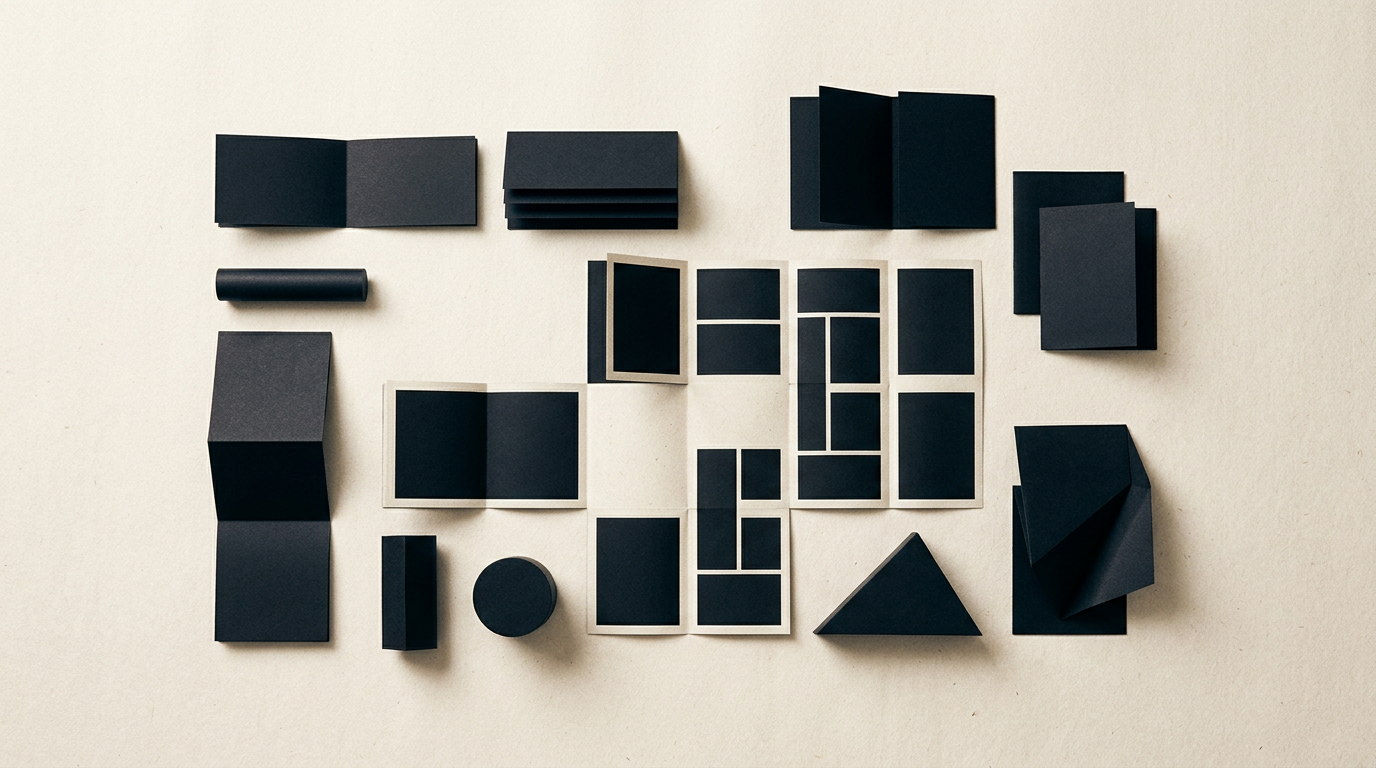
A well-structured brochure or a flawless technical catalog can make the difference between a quickly closed deal and a marketing document tossed in the trash. Layout design and print preparation are not just about aesthetics, but about math, readability, and adhering to prepress standards. In this guide, we address the most common technical and practical questions regarding print layout design.
How do I choose the correct number of pages for a brochure or catalog?
The total number of pages in a saddle-stitched brochure must always be a multiple of 4. This is due to the physical nature of printing and folding paper sheets, where one sheet folded in half creates exactly 4 pages. If you have content written for 13 pages, you will either need to condense the text to 12 pages or expand the layout to 16 pages by adding notes, brand imagery, or promotional inserts. For thicker perfect-bound catalogs, pages are typically organized in multiples of 8 or 16, known as signatures. A professional design grafic service will establish the grid and exact page count from the beginning based on run size and print budget.
What is the technical difference between a brochure and a product catalog?
The main difference lies in information density, architectural structure, and the binding method used in production. A brochure typically spans 8 to 32 pages, uses saddle-stitching (staples), and focuses on presenting a company or specific service concept. A product catalog frequently exceeds 48-64 pages, requires perfect binding or thread sewing, and is rigorously organized by categories, SKUs, and technical specifications. While a brochure tells a brand story closely tied to a unified identitate vizuală, a catalog serves as a direct sales tool and quick reference manual for B2B buyers.
What layout grid system works best for a product catalog?
For product catalogs, a flexible 6 or 12-column grid per page works best. This structure allows modular arrangement of product cards in various formats (2x3, 3x4, or highlight pages) without losing strict alignment.
An optimal standard structure for a commercial catalog includes:
- Front Cover: High-impact visual, clear title, logo, and publication year or edition.
- Table of Contents: Structured index categorized with color-coded sections for easy navigation.
- Chapter Dividers: Visual breaks featuring lifestyle imagery or brand concepts.
- Product Pages (Main Grid): SKU, product title, short description, size/price tables.
- Back Cover: Complete contact info, QR codes, and legal details.
What technical print mistakes should be strictly avoided?
The most expensive printing errors stem from failing to comply with technical prepress specifications. Sending an incorrectly prepared file to the printer can result in clipped text, low contrast, or pixelated images.
To avoid costly reprints, always check these key parameters:
- Bleed Allowance: Include a minimum of 3 mm bleed beyond the final page trim line.
- Safe Margins (Inner Margin): Keep text at least 5-7 mm away from trim lines and 10-15 mm away from the spine fold.
- Color Profile: Export all artwork in CMYK (FOGRA39 or FOGRA51), never RGB.
- Image Resolution: Ensure all images are 300 DPI at 100% scale on the page.
- Font Vectorization: Convert all fonts to outlines before generating final PDF/X-1a files.
How do you calculate spine thickness for a perfect-bound catalog?
Spine thickness is calculated based on total page count and the paper stock caliper (paper weight). A simplified formula is: (Number of inner pages / 2) x paper sheet thickness in millimeters. For example, for a 100-page catalog printed on 130gsm coated paper (approx. 0.11 mm thickness per sheet), the spine width is: (100 / 2) * 0.11 mm = 5.5 mm. Add cover stock thickness to this value. The spine is always designed on the unfolded cover artwork (Back Cover + Spine + Front Cover). If your marketing plan also includes a site de prezentare, the catalog layout should follow the exact same visual hierarchy principles.
How can you connect a printed catalog with online search and AI tools?
Printed catalogs no longer work in isolation; they serve as a direct gateway to your digital ecosystem. By embedding dynamic QR codes on product pages, you can direct customers to live inventory, updated spec sheets, or video tutorials. Furthermore, downloadable catalog PDFs hosted on your website should be structured readably for search crawlers. Applying optimizare GEO / AEO / AIO strategies to digital PDF documents enables AI assistants like ChatGPT or Perplexity to parse and recommend your products in answer engine queries.
How long does the layout design process take for a catalog or brochure?
Designing a basic 12-16 page brochure takes between 5 and 8 business days, while a complex 64-120 page catalog requires 3 to 5 weeks. Timeline depends heavily on material readiness: high-res photos, approved text, and organized product databases. The workflow involves developing visual concepts (2-3 sample pages), grid approval, full layout assembly, prepress proofing (BT), and final press-ready PDF delivery. Explore my portofoliu to review previous layout structures and print projects.
What's next?
Do you need a flawless catalog or a compelling brochure that converts readers into buyers? A print-ready document designed without technical flaws saves time, prevents budget waste, and elevates your brand image. From layout grid design to prepress setup and alignment with your creare logo or overall branding assets, reach out on my contact page to start your print project.