5 min read
What Are Dielines and Mockups in Packaging Design?
Learn how to turn technical dielines and 3D mockups into perfectly printed physical packaging without costly printing mistakes.
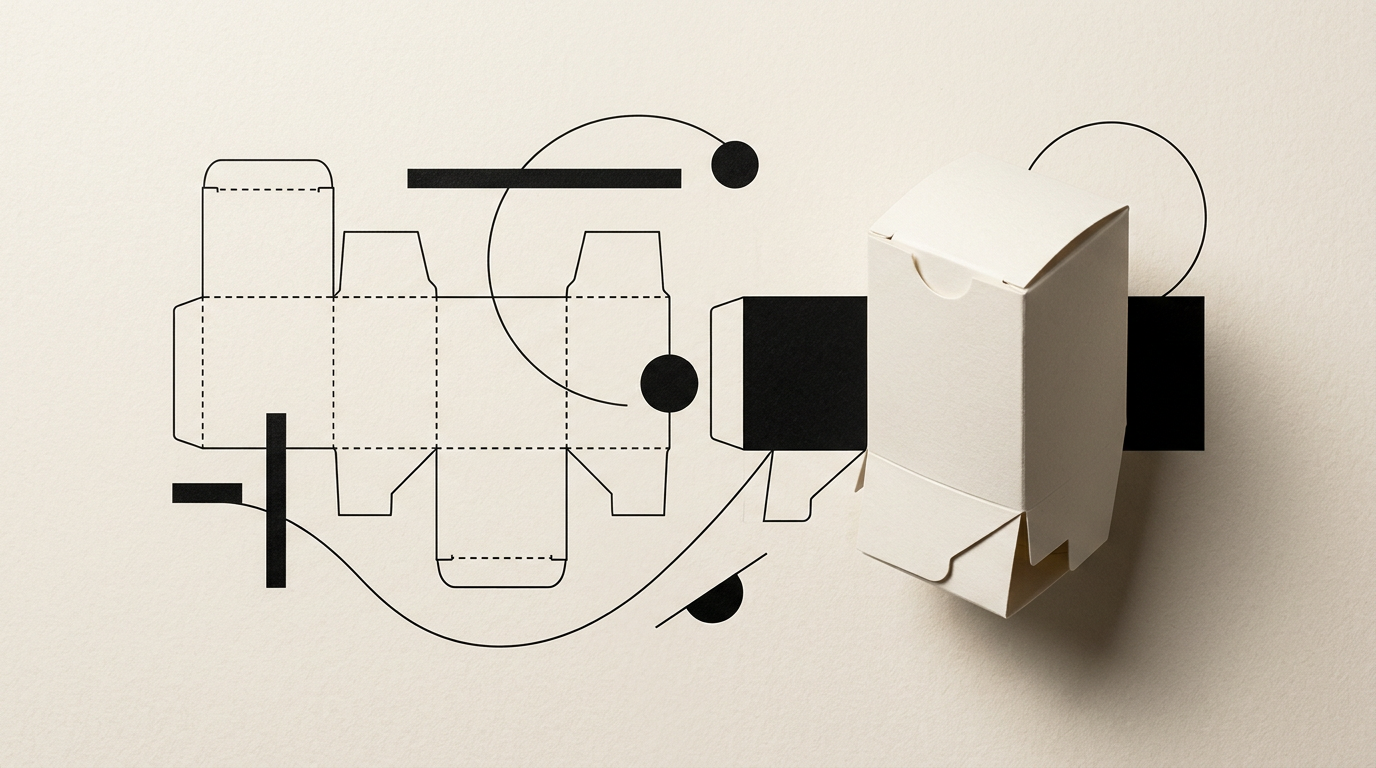
Transitioning a packaging design from concept to a physical product on store shelves requires technical precision and visual clarity. Without correctly prepared cutting and creasing lines (dielines) and 3D validation (mockups), sending incorrect files to print carries high financial risks. In this guide, I answer the most frequent questions regarding the packaging workflow.
What exactly is a dieline and why can't I just send a standard PDF graphic?
A dieline is the unfolded technical template of a package, containing exact cut lines, crease lines, fold marks, and bleed areas. You cannot simply send a basic graphic file because the print shop requires precise mathematical reference points to configure the physical die-cutter. Without vector lines separated on a dedicated layer, industrial cutting machinery won't know where tabs fold or where edges are trimmed. Furthermore, graphics must align with folds; for instance, text placed too close to a crease line will warp or get cut off during assembly. A dieline guarantees every millimeter of surface corresponds to the final box geometry.
What is the difference between a 3D mockup and a physical sample?
A 3D mockup is a digital three-dimensional rendering of the packaging, whereas a physical sample is an actual box cut and assembled manually or digitally prior to mass production. Virtual mockups excel during the creative phase to visualize proportions, panel-to-panel graphic flow, and angle views. Physical plotter samples test structural integrity, product fitment, and actual cardboard behavior. Both stages are vital: 3D models validate aesthetic concepts quickly and affordably, while physical samples eliminate unexpected issues regarding material thickness or flap closures.
Who provides the dieline: the designer or the print shop?
Typically, the printing house or packaging manufacturer provides the blank technical dieline, and the graphic designer applies artwork onto this layout. Manufacturers know their paperboard stock thickness, production tolerances, and die-cutting machine specs best. In cases requiring custom structural design from scratch, I provide structural graphic design services and build dielines directly with packaging engineers. The golden rule is having the structural dieline approved technically by the factory before setting final artwork.
What common technical errors occur when transitioning from mockup to print?
Packaging production errors usually stem from overlooking pre-press standards and vector file preparation rules. The most frequent mistakes include:
- Missing bleed areas (3-5 mm required), leading to unwanted white edges after trimming.
- Using RGB color profiles instead of CMYK or incorrectly setting Pantone spot codes.
- Placing vital text elements too close to fold lines (under the 3 mm safety zone).
- Low resolution raster images embedded in artwork (under 300 DPI at 1:1 scale).
- Omitting Overprint settings on special layers intended for spot UV varnish or foil stamping.
How do I ensure my logo and colors look identical on printing as on screen?
Color consistency is achieved by defining exact Pantone (PMS) spot colors and producing certified color proofs before full production runs. Digital displays emit RGB light, whereas printed inks rely on CMYK subtractive mixing or pre-mixed spot inks. If you already possess a defined logo and clear visual identity, your brand guidelines must specify print color equivalents. Material selection also impacts hue: coated paperboards reflect light for vivid colors, while unbleached kraft paper absorbs ink, darkening overall tones.
How long does it take to prepare print-ready packaging files?
The file preparation process generally takes between 3 to 7 business days, depending on structural complexity and item variations. This timeline covers reviewing manufacturer dielines, fitting artwork, adjusting panel layouts, configuring finish layers (UV varnish, embossing, foil), and rendering control mockups. Rushing this stage increases the risk of costly re-prints. A thorough final PDF check (press proof review) saves significant time and budget during mass manufacturing.
What mandatory information must I provide before constructing a dieline?
Building an accurate structural dieline requires a clear set of technical and commercial specifications regarding the product. The mandatory checklist includes:
- Exact product dimensions (Length x Width x Height in millimeters).
- Total product weight and stacking or shipping strength requirements.
- Desired paperboard type (e.g., E-flute corrugated, folding boxboard, or rigid board).
- Required regulatory copy (ingredients, nutrition facts, barcodes, recycling symbols).
- Specified special finishes (matte/gloss lamination, foil stamping, embossing).
How does a 3D mockup help launch products on a presentation website?
Photorealistic 3D renders allow you to start marketing campaigns and e-commerce pre-orders long before physical boxes exit the factory floor. By embedding clean 3D visuals into a modern presentation website, you showcase products from every angle in studio settings free from photo lighting glitches or glare. In my packaging design portfolio, I utilize high-end 3D mockups to supply clients with crisp graphics tailored for digital catalogs, social media, and online stores, drastically accelerating time-to-market.
What are spot color layers and how are they set up in the master file?
Spot color layers are separate vector channels in the artwork file created to instruct printing equipment where to apply non-CMYK specialty treatments. These include metallic foil, raised UV varnish, or cut/crease paths. They must be configured as Spot Colors with Overprint enabled so print pre-press software processes them as isolated plates. Failing to separate these layers properly will cause premium finishes to misalign or knock out underlying artwork.
What's Next?
If you have a new product requiring technically sound and visually compelling packaging, the next step is assessing your project requirements. From securing precise technical dielines to rendering 3D promotional mockups and preparing final print-ready files, I can guide you seamlessly through every stage. Review my portfolio projects or reach out via the contact page to discuss your packaging specifications.