5 min read
What Are Dielines and 3D Mockups in Packaging Design?
A practical guide to packaging design: how to turn a technical dieline and 3D mockup into a final printed package without costly production errors.
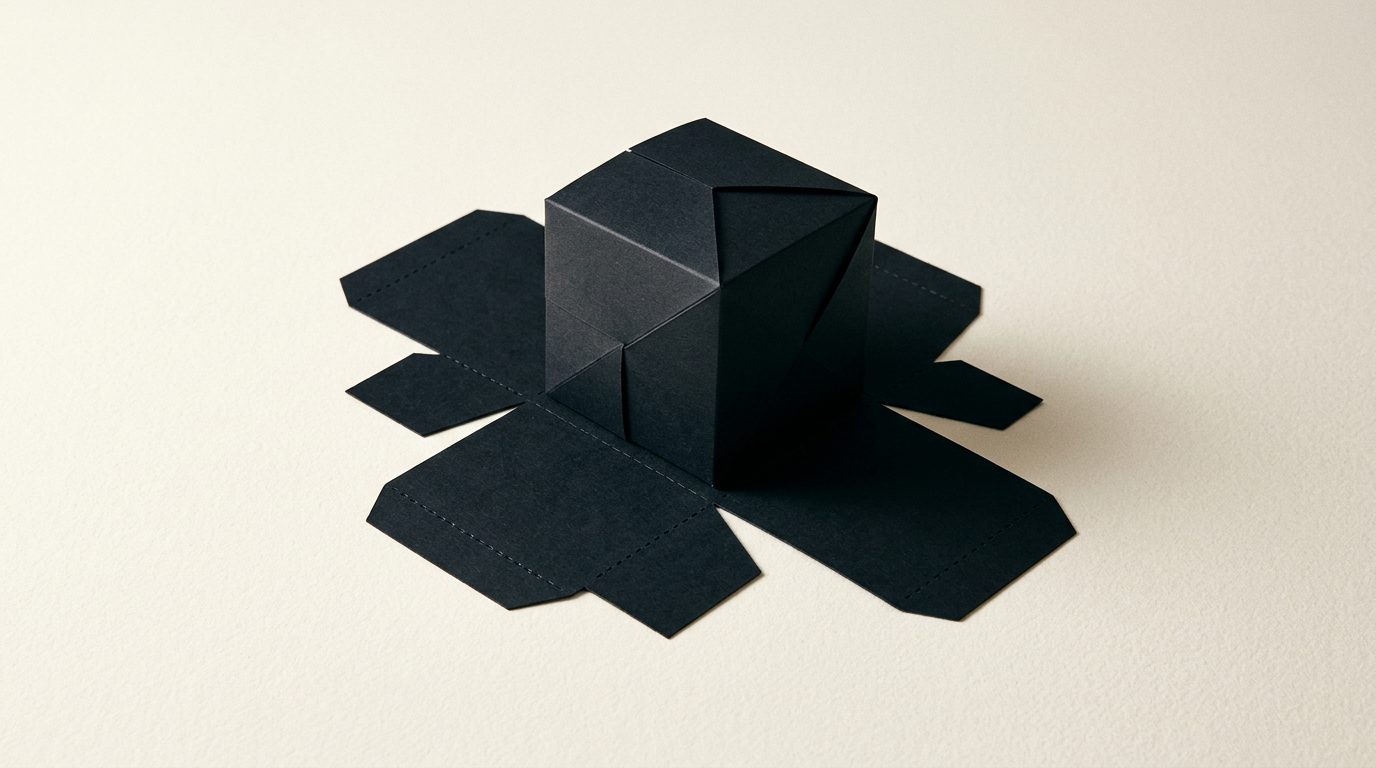
Transitioning from a visual concept to a real product package on a store shelf requires technical precision and clear verification stages. The dieline (cutting template) and the mockup (3D render or physical sample) are the two fundamental tools that eliminate expensive print errors. In this Q&A style guide, I explain how each stage works, what responsibilities the printer holds, and how to prepare your artwork for production without unpleasant surprises.
What exactly is a dieline and who should provide it?
A dieline is a two-dimensional technical file containing all the cut, crease, perforation, and bleed lines for packaging, usually provided directly by the printing house or created by a specialist in design grafic. This vector template represents the flattened layout of the box or label in a 2D space. Packaging manufacturers supply exact dieline specs based on paperboard thickness and folding machinery, since a fold shifted by 0.5 mm can jam an automated packing line. The designer takes this technical file and places the visual assets (logo, text, barcode, icons) precisely within visible panels, maintaining a 3-5 mm safety margin from any cut line. Without an approved dieline from the printer, the risk of misaligned graphics is extremely high.
What is the difference between a 3D mockup and a physical prototype?
A 3D mockup is a digital three-dimensional simulation of the package used for presentation and visual verification, whereas a physical prototype is an actual printed and hand-assembled sample used to test structural integrity. Both steps are crucial when launching a new piece of identitate vizuală for a physical product.
Key differences between these two validation tools include:
- Digital 3D Mockup: Quick to generate on desktop, allows realistic previews of special finishes (foil stamping, spot UV, embossing), and provides ideal renders for advertising or e-commerce without production fees.
- Physical Prototype (Dummy): Produced at the printing plant using final substrates (corrugated board, 300gsm duplex cardstock), enabling physical testing of structural strength, weight capacity, and inner product fit.
Why can't I use a 3D mockup directly for printing?
A 3D mockup cannot be sent to print because it is merely a raster image file (JPG or PNG) with perspective distortion, shadows, and artificial lighting, entirely lacking the technical vector data needed by cutting and creasing machinery. Printers work exclusively with exact 2D geometric coordinates. Sending a 3D render to a printer means they cannot accurately extract flap sizes, glue tabs, or score lines. In packaging projects showcased in my portofoliu, 3D mockups serve aesthetic approval for the client, while the VECTORIAL PDF/X-4 dieline file is what actually goes into mass production.
What common errors occur on dielines and how can I avoid them?
The most frequent mistakes in dieline preparation are placing graphics across fold lines, omitting the bleed area, and misconfiguring spot colors for technical lines. To prevent thousands of euros in spoiled print runs, always check these technical items before final approval:
- Bleed Allowance: Extend background artwork by at least 3 mm beyond the outer cut line to prevent white edges if trimming varies by 1 mm.
- Spot Colors for Dielines: Keep cut and fold lines on a separate Layer, set them to "Overprint", and assign dedicated Spot Colors (e.g., "Dieline_Cut", "Dieline_Crease").
- Glue Flaps: Keep ink and varnish off glue flap areas, or the adhesive will fail and boxes will unseal over time.
- Text Orientation: Double-check side and bottom panels to ensure text reading orientation isn't upside down after assembly.
How much does packaging design cost from dieline to mockup and print?
The cost of packaging design typically ranges between 300 and 1200 EUR per SKU, depending on structural complexity and the number of flavor/size variants. If you already have the dieline from your printer and only need visual layout adaptation (including vector assets such as a print-ready creare logo), costs run around 300–500 EUR per box. If you require custom structural dieline creation, physical prototyping, and photorealistic 3D renders for 5 product SKUs, the budget can reach 1200–2500 EUR. Separately, physical cutting dies made by the printer cost between 100 and 300 EUR (one-time mechanical tooling fee per box structure).
How do 3D renders help launch a product on an e-commerce website?
High-resolution 3D renders completely eliminate the expense and timeline of traditional product photography, producing perfectly lit, consistent images ready for a site prezentare or online storefront. Furthermore, 3D renders allow marketing teams to create pre-order promotional materials weeks before physical boxes leave the factory floor. Product images rendered in 4K resolution at standardized angles (front, side, 45-degree angle, open box) ensure visual consistency impossible to achieve through photography where camera angles and reflections subtly shift between shots.
How do modern AI engines impact packaging visibility in visual search?
Modern AI-driven visual engines and smart search algorithms evaluate product packaging on shelves and in online photos with extreme precision, prioritizing brands with clear, high-contrast, and well-structured graphics. Applying geo aeo aio strategies across digital product assets helps search algorithms accurately pair 3D mockups and box imagery with relevant buyer queries. Text-to-background contrast, readable font sizing (minimum 6-7 pt), and clutter-free principal display panels (PDP) are vital factors for both human shoppers and automated AI visual scrapers.
What final files must be delivered to the printer to avoid mistakes?
For mass production, you must deliver a PDF file conforming to PDF/X-4 or PDF/X-1a standards, fully vector-based, and set to the CMYK color profile requested by your printer (e.g., Coated FOGRA39). All fonts within the layout must be converted to outlines, and embedded raster artwork (such as product photos) should have a minimum resolution of 300 DPI at 1:1 scale. Technical dieline paths must remain on a clearly labeled separate layer, set to Overprint, and colored with spot colors. If you need assistance reviewing technical specs for your packaging, reach out via the contact page.
What's next?
Do you need flawless print-ready packaging, from vector dielines to high-impact 3D mockups for your e-commerce store? Professional packaging protects your product and wins customer trust within seconds. Send your project dimensions and technical requirements through the contact page, and I will handle precision file prep and 3D visual creation for your brand.