5 min read
How to Adapt a Logo for All Formats: A Practical Guide
A great logo must work seamlessly on a 16px favicon as well as a billboard. Learn how to adapt your visual system for digital, print, and packaging.
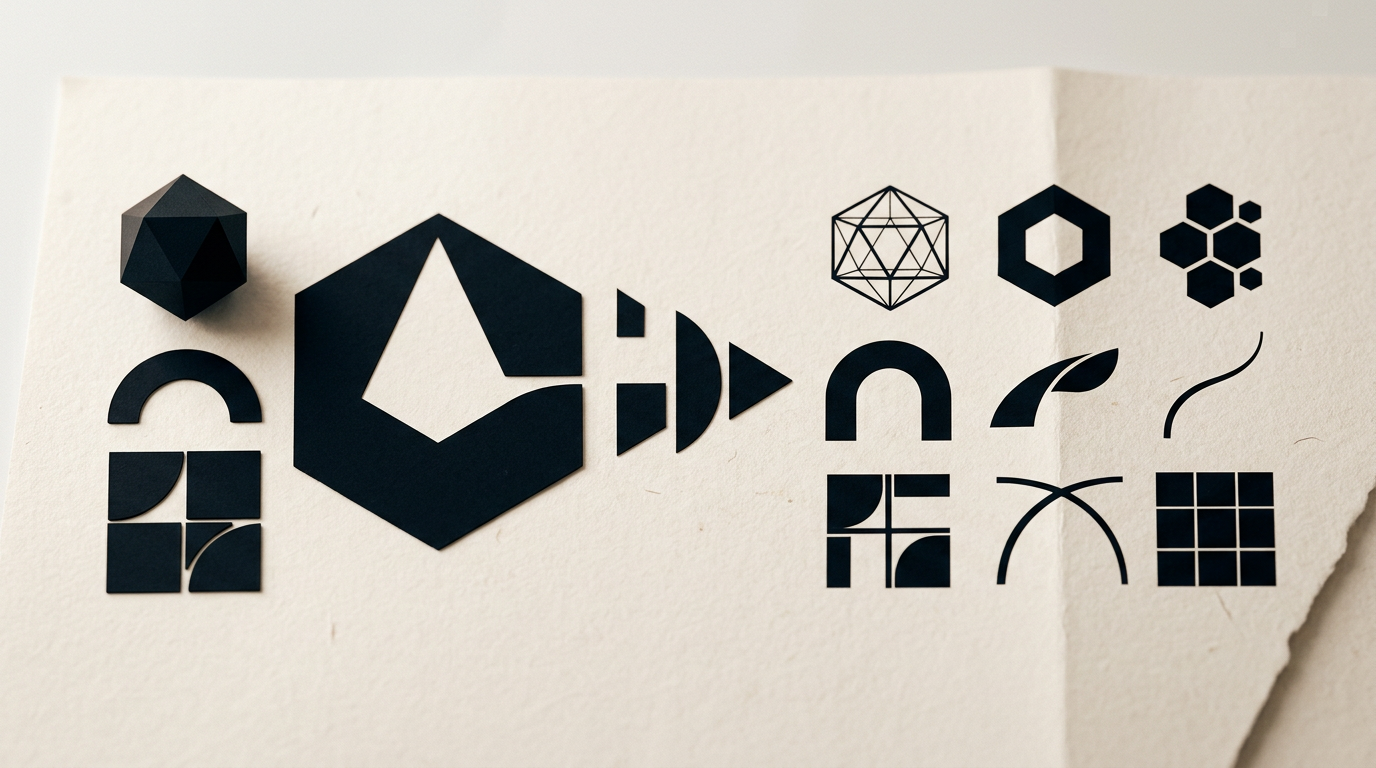
Why a Single Logo File Is Never Enough
If a designer only handed you a single .png file with a transparent background or a white .jpg, you have a branding issue. A modern logo is not a static picture; it is a flexible visual system. It must look crisp whether displayed on a smartwatch screen, a 16x16 pixel website favicon, engraved on a promotional pen, printed on a corrugated packaging box, or mounted on a 10-meter mesh building banner.
Attempting to stretch a single logo format across every application inevitably leads to technical and visual failures: small text becomes unreadable, fine lines break during printing, colors look washed out, or the logo gets awkwardly cropped inside a social media profile circle.
To avoid these roadblocks, a complete brand identity project includes adapting the logo across all media formats. Here is how a responsive logo system is structured and the technical guidelines it must follow.
The Anatomy of a Responsive Logo System
A "responsive logo" means creating multiple variations of the same visual identity—simplified or rearranged according to the available space—without sacrificing brand recognition.
1. Primary Logo
This is the main, fully detailed version of the logo. It includes the symbol, the brand name (logotype), and optionally a tagline. It is designed for letterheads, website headers, large marketing banners, or product packaging where ample display space is available.
2. Secondary Variation (Stacked / Vertical or Horizontal)
Depending on the primary layout, the secondary option rearranges the elements. If the main logo is horizontal, the secondary version might be stacked (symbol centered above the text). This layout fits square or tall spaces, such as social media posts, tall product labels, or signage.
3. Submark / Isolated Symbol (Icon / Favicon)
When spatial constraints are severe, text degrades in legibility. In these instances, the brand name is dropped entirely, leaving only the mark or a monogram. This version is used for:
- Social media profile pictures across Instagram, Facebook, LinkedIn, or TikTok (which use small, circular crops).
- Website favicons.
- Mobile app icons.
- Small promotional item engravings (pens, USB drives).
- Stamps, wax seals, or garment tags.
4. Monochrome and High-Contrast Variations
A well-engineered logo must perform without relying solely on its original colors. Transitioning from a backlit screen to a black-and-white printer or a physical debossing tool requires dedicated color alternatives:
- Full-Color Version: For digital displays and standard full-color printing.
- White / Reversed Version (Negative): For dark background imagery or dark-mode interfaces.
- Pure Black (100% K): For official paperwork, stamps, invoices, or single-color print runs.
- Monochrome Accent: A single brand color used for specialized print production.
File Formats and Color Spaces: Technical Guide
Adapting a logo correctly means delivering the right file type for the right medium. Sending the wrong format to a commercial printer can result in extra production fees or a degraded final product.
Vector vs. Raster Files
- Vector (
.AI,.EPS,.SVG,.PDF): Built on mathematical formulas, points, and paths rather than pixels. Vector files scale infinitely without any loss of quality. These are the mandatory files required by commercial printers, signmakers, and web developers. - Raster (
.PNG,.JPG,.WebP): Built on a grid of pixels. Scaling raster images up results in pixelation and blur..PNGfiles are essential for digital use due to transparent background support, while.JPGworks where a solid white background is acceptable.
Correct Color Spaces
- RGB (Red, Green, Blue): Designed strictly for digital screens (websites, apps, social media, video presentations). Colors are rendered using light and appear more vibrant.
- CMYK (Cyan, Magenta, Yellow, Key/Black): Used for standard digital and offset printing. Colors are achieved by mixing physical inks on paper.
- Pantone (PMS - Pantone Matching System): Standardized, pre-mixed spot inks. Essential when precise color consistency is required across physical production (e.g., silk-screen printing, corporate packaging, merchandise).
Adapting for Digital Media
On screens and social platforms, logo adaptation focuses on technical performance and visual clarity:
- Retina Displays Export (@2x, @3x): High-density screens require raster assets exported at double or triple resolution to avoid blurry edges.
.SVGfor Web Headers: Instead of standard PNG files, website headers should utilize vector.SVGfiles. They are extremely lightweight, load instantly, and remain razor-sharp across all screen densities.- Dark Mode Compatibility: If your website or application supports a dark interface, your logo system must automatically switch to a high-contrast reversed version.
Adapting for Print, Packaging, and Physical Production
In physical production, mechanical constraints dictate how a logo can be applied:
- Kraft / Unbleached Cardboard Packaging: Bright RGB or soft CMYK tones will not render accurately on brown cardboard. A pure black monochrome version or an opaque white screen-printed ink must be used instead.
- Apparel Embroidery (Uniforms, Caps, Polo Shirts): Color gradients and ultra-thin line details cannot be stitched cleanly. A simplified version featuring thicker stroke widths and solid colors is required.
- Specialty Finishes (Foil Stamping / Embossing / Laser Engraving): For physical embellishments like metallic foil or blind debossing, vendors require a flat 100% vector file where solid black dictates where the metal die hits the stock.
Clear Space Rules and Minimum Sizes
To ensure legibility and visual impact, brand guidelines must establish two mandatory parameters:
- Clear Space: A designated exclusion zone surrounding the logo where no other graphic elements, text, or page margins may enter. This dimension is typically calculated using a proportional element from the logo itself (such as the height of an icon or lettermark).
- Minimum Size: The absolute limit below which the logo cannot be scaled down. For example: "The primary logo must not be used smaller than 120px wide in digital or 35mm in print. Below this threshold, the Submark/Icon must be used instead."
Conclusion
A professionally prepared logo is not just a drawing; it is a complete technical asset. Adapting your visual identity across all formats ensures your brand communicates consistency, authority, and quality at every customer touchpoint.
If you need a complete visual identity system engineered for digital, print, and packaging—or want to expand your existing logo into a full responsive framework—feel free to get in touch to discuss your project.