6 min read
What is the ideal layout for a high-converting landing page?
Learn how to structure a presentation page step-by-step to convert visitors into paying clients. A practical guide on UI/UX, copy hierarchy, and CTA strategic placement.
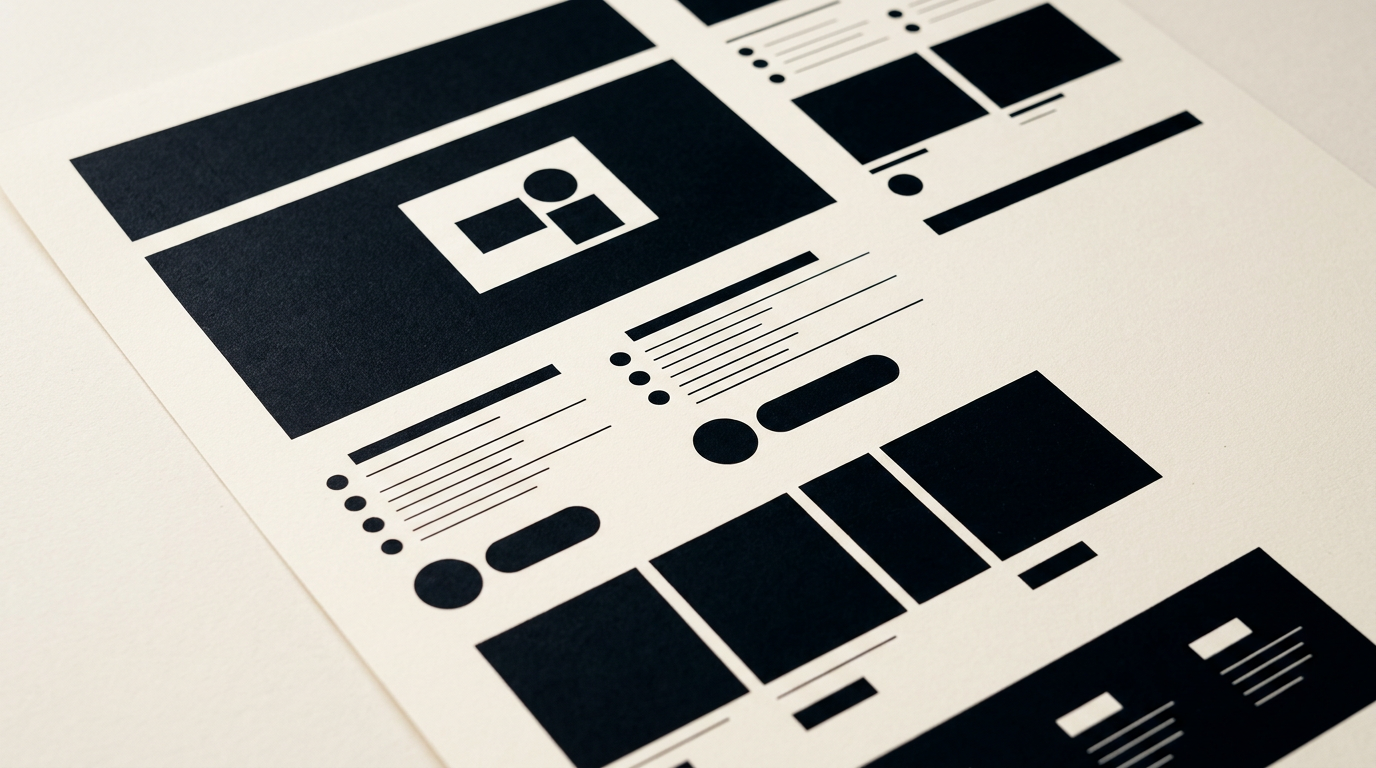
An effective presentation page is not a digital flyer bloated with useless graphics, but a strategically engineered sales tool. Its structure must guide the visitor from curiosity to a clear action in less than two minutes. In this article, I explain exactly how to build a layout that transforms cold traffic into real clients.
What exactly is a presentation page and how does it differ from a complex website?
A presentation page (or landing page) is a web page created with one single, clear objective: converting visitors into leads or paying customers. Unlike a bloated corporate website with dozens of secondary pages, this structure eliminates distractions like complex navigation menus or external links. For a business starting out, a site de prezentare structured on a single page or a few well-connected sections reduces initial costs and speeds up market launch.
Major differences include:
- Single objective: completing a contact form, making a direct phone call, or requesting a quote.
- Streamlined navigation: no heavy drop-down menus that confuse users.
- Focused messaging: all content communicates a single unique value proposition.
While a classic website acts as a general brochure, a presentation page acts as a dedicated sales representative.
What are the mandatory elements Above the Fold?
The Above the Fold section must contain the main headline, an explanatory subheadline, a hero visual, and the primary call-to-action button. This first screen decides within the first 3-5 seconds whether a visitor stays on the page or hits the back button. The headline must state the main benefit directly, without vague metaphors or poetic expressions. The subheadline clarifies who the service is for and what specific problem it solves.
The main visual should not be a generic stock photo, but a product demonstration or a brand asset derived from your company's identitate vizuală. Additionally, the main call-to-action (CTA) button must be instantly visible, using a high-contrast color relative to the page background.
How many sections should an effective presentation page have?
An effective presentation page usually contains between 5 and 8 distinct sections, ordered logically according to the customer's decision-making process. There is no magic number, but a page that is too short lacks context, while one that is too long tires the user.
The recommended layout for maximum conversion includes:
- Hero Section: headline, subheadline, hero image, and primary CTA.
- Problem & Solution: addressing pain points and presenting your offer.
- Direct Benefits: 3-4 clear advantages illustrated with icons or concise copy.
- Social Proof: testimonials, client logos, or mini case studies.
- Working Process: 3 simple steps showing how easy it is to get started.
- Offer & Pricing: details on packages or direct contact forms.
- FAQ Section: short answers addressing common client objections.
How should copy and visuals be structured to maintain visitor attention?
Copy and visuals must be structured alternately, utilizing a clear visual hierarchy and generous whitespace to prevent reader fatigue. People don't read web pages word-for-word; they scan them in F-shaped or Z-shaped patterns. Therefore, section titles must be concise (under 8 words), and paragraphs should not exceed 3-4 lines.
Images must serve a functional purpose rather than being purely decorative. In the design grafic phase, every graphic, icon, or mockup must align with the brand's tone. Use color contrast to highlight critical information and maintain consistent typography sizes for optimal readability across all screens.
What role does social proof play and how do you integrate it correctly?
Social proof validates your sales claims and reduces visitor skepticism through real experiences from existing clients. Without testimonials or partner logos, a presentation page loses up to 40% of its conversion potential. Avoid anonymous quotes like "John D. - happy client," as they diminish trust.
Integrate authentic reviews with full names, photos, job titles, and, where possible, links to the client's website or LinkedIn profile. If you've completed complex projects, showcase brief "before and after" case studies or concrete metrics (e.g., "150% increase in sales"). You can also link to a detailed portofoliu for prospects who want to verify past work quality.
Where and how often should Call-to-Action (CTA) buttons be placed?
Call-to-action buttons should be placed Above the Fold, after the benefits section, after social proof, and at the bottom of the page. For longer pages, 3 to 5 CTA buttons pointing toward the same primary action are recommended. Alternatively, use a sticky CTA button that remains visible at the bottom of the screen as mobile users scroll.
The micro-copy on the button is just as critical as its placement. Instead of generic phrases like "Submit" or "Learn More," use specific action verbs in the first person: "Get My Free Audit," "Request a Custom Quote," or "Download the PDF Guide." Keep the same color for all primary buttons across the page.
How do loading speed and mobile optimization impact conversion rates?
A page loading speed under 2.5 seconds and flawless mobile optimization are direct technical prerequisites for retaining visitors. Over 65% of web traffic comes from mobile devices, and a one-second delay in page load time reduces conversions by roughly 7%. If the layout fails to adapt seamlessly to smartphone screens, most users will abandon the session immediately.
Compressing images, cleaning up redundant code, and optimizing web fonts are the primary steps in development. Mobile design isn't just scaling down desktop elements; it's about rethinking them: thumb-friendly buttons, minimum 16px font sizes, and eliminating aggressive pop-ups that block mobile screens.
How does optimization for AI-driven search engines help page structure?
Structuring your page for AI-driven search engines ensures accurate information extraction by tools like ChatGPT, Perplexity, or Google Search Generative Experience. The layout must utilize schema markup, clear semantic headings (H2, H3), and explicit question-and-answer sections. By applying geo-aeo-aio optimization techniques, your page can be directly recommended by AI engines as the best answer for specific queries.
Content should be written directly without fluff, providing exact details about services, estimated pricing, and location. Generative engines prefer structured information in tables or clean lists, allowing them to quickly understand who you are and what issues you solve.
How long does it take to build such a page and what materials are needed?
Creating a professional presentation page typically takes between 10 and 20 business days, depending on content complexity and necessary integrations. This timeframe includes wireframing, copywriting, UI/UX design, technical development, and testing across multiple devices. A project progresses swiftly when visual design is backed by solid brand foundations, such as a vector creare logo service and an established color palette.
To kick off the project without delays, you will need:
- Vector logo files (.SVG or .EPS) and brand guidelines.
- Draft copy or a clear description of services and Value Proposition.
- High-resolution photos of your team, office, or products.
- Complete contact info and legal business details.
What's next?
A well-structured presentation page is the most cost-effective investment in your business's online visibility. If you want a page that doesn't just look good but generates daily quote requests, send me a message on the contact page. I will analyze your project and propose a visual and technical structure tailored to your sales goals.