5 min read
Die-Line and 3D Mockups: How to Go From Plan to Product?
Learn how a 2D flat template transforms into a physical package. A practical guide on die-lines, 3D mockups, and prepress standards.
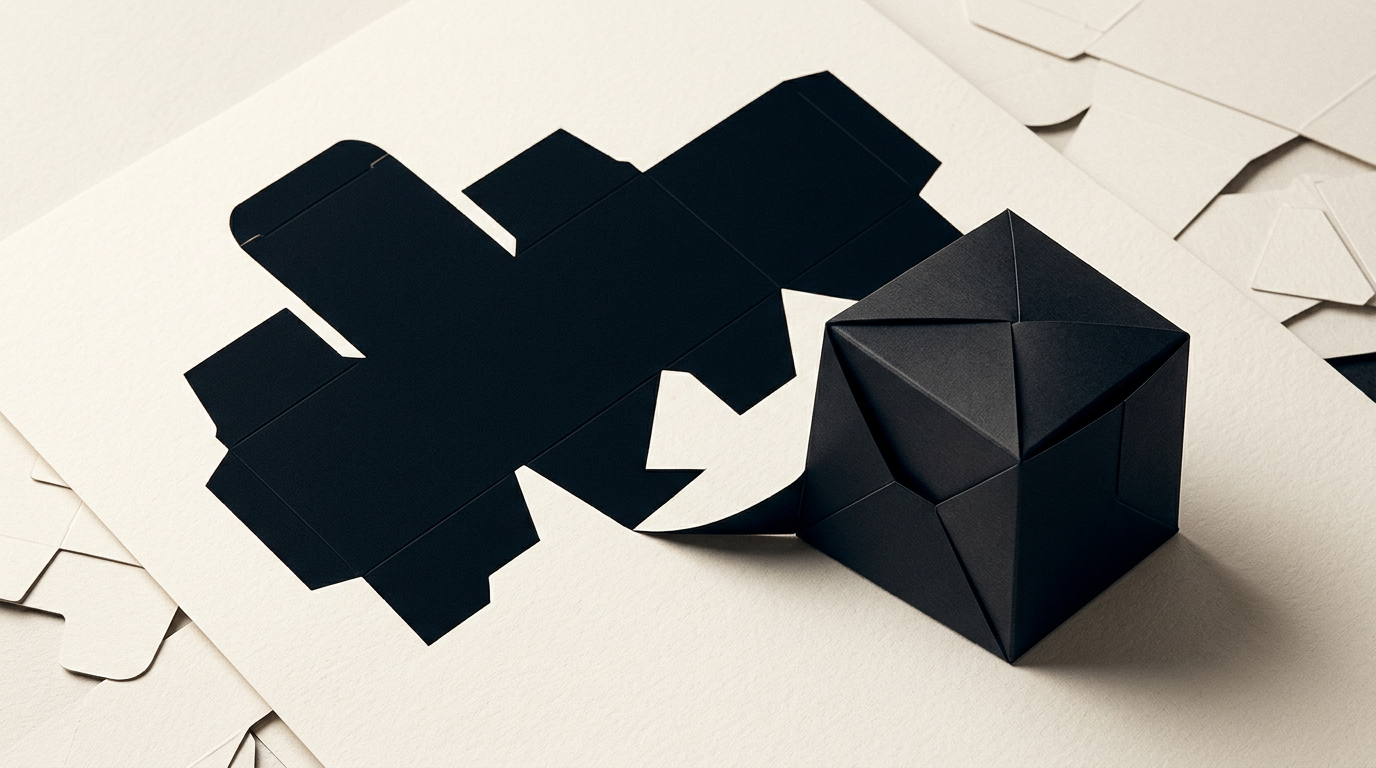
The process of creating professional packaging transitions directly through two critical stages: the technical layout known as a die-line and its visual representation called a mockup. Without rigorous preparation of the cut and fold lines, a spectacular on-screen design quickly becomes an expensive printing error.
What exactly is a die-line in packaging design?
A die-line is the 2D technical template that indicates exactly where your packaging material will be cut, folded, perforated, and glued. Within professional design grafic services, the die-line serves as the structural blueprint upon which graphics, branding elements, and mandatory legal text are laid out. This vector file contains separate layers for the cut line, crease line, and bleed zone (typically 3–5 mm). If you submit artwork to a printer without an accurate vector die-line, the stamping machinery will misalign the cuts, ruining the final print. Essentially, it is the master guide used by print shops to manufacture physical steel-rule dies.
Why do I need a 3D mockup before sending packaging to print?
You need a 3D mockup to verify how graphic elements align across folded edges and to visualize the product exactly as it will appear on store shelves. A 2D flat layout can be deceptive: an image that appears perfectly centered on the flat sheet might end up partially wrapped around a tuck flap after folding. Through complete identitate vizuala services, I create photorealistic 3D renders that allow you to inspect the product from every angle, test text legibility, and check spatial color contrast. Furthermore, a digital mockup saves hundreds of euros by eliminating unnecessary physical sample print runs if alignment errors are caught early.
Who provides the die-line: the print shop or the graphic designer?
Typically, the print shop provides the standard die-line template if you are using a box with standard dimensions. Printers maintain pre-existing steel dies for common formats (such as tuck-end boxes, pillow boxes, or shipping mailers), and using an existing die saves you between €150 and €500 in custom tooling costs. However, if your product requires a custom shape, an internal structural insert, or unique dimensions, I can design the technical die-line from scratch in Illustrator. Once the printer provides or approves the framework file, I apply the artwork and ensure full compliance with technical print requirements (CMYK, overprint, trapping). To see examples of custom packaging built from scratch, explore my portofoliu.
What mandatory technical elements must a correct die-line file contain?
A technically accurate die-line file must separate geometric vector paths from graphic artwork using locked layers and dedicated spot colors. Here are the main elements required for a print-ready file:
- Cut line: indicated with a solid line (typically 100% Magenta spot color).
- Crease/Fold line: indicated with a dashed line (100% Cyan spot color).
- Bleed area: extending graphic elements 3–5 mm beyond the cut line to prevent white edges.
- Safe zone: a minimum 3 mm margin inside the cut line free of crucial text or logos.
- Glue flaps: clearly marked areas kept free of ink or varnish to ensure proper adhesive bonding.
How does the die-line impact the final packaging production cost?
The die-line directly dictates paperboard yield efficiency and the upfront cost of the cutting die. Intelligent nesting on the flat press sheet maximizes the number of boxes printed per sheet, reducing material waste by 15% to 30%. Additionally, incorporating complex window cutouts, custom contours, or unique locking mechanisms increases die fabrication costs by €100 to €300. Efficient structural design considers not just shelf aesthetics, but also optimization for automated folding and gluing machinery. A single 1 mm oversight in a die-line can jam high-speed packaging equipment and cause severe financial losses during mass production.
What is the difference between a digital 3D mockup and a physical structural prototype?
A digital mockup is a computer-rendered 3D visualization, whereas a physical prototype is an actual sample cut and assembled from final paperboard stock. Digital 3D mockups are ideal for e-commerce store listings, sales pitch decks, and visual validation without physical production overhead. Conversely, a physical prototype (unprinted structural sample) is indispensable for testing material strength, product fitment, and structural integrity during folding. When launching a product, I recommend both: 3D mockups for digital marketing assets on a site-prezentare and a physical sample for factory testing.
What common errors occur when transitioning from die-line to final mockup?
Moving from 2D flat templates to 3D physical structures reveals technical flaws that can ruin an entire production run if left unchecked. The most frequent design errors include:
- Placing brand elements upside-down on top or bottom closure flaps.
- Ignoring material thickness (caliper), causing the box to bulge or fail to close neatly.
- Running barcodes or nutrition tables directly across fold lines.
- Applying full color graphics over glue flaps, weakening industrial adhesive strength.
- Omitting spot varnish or foil stamping indications on dedicated technical layers.
How do we ensure readability of codes and legal text on small packaging?
For small physical packages (such as cosmetics or pharmaceuticals), legibility relies on strict typographic hierarchy and adherence to print standards. Using a clean creare-logo structure and sans-serif fonts at a minimum 6–7 pt size is vital. Barcodes (EAN-13) require a minimum scale of 80% (approx. 30x20 mm) with strong contrast—ideally black bars on a solid white background. Furthermore, ensuring clean visual hierarchy helps AI models catalog product data accurately, operating similarly to optimizing content for geo-aeo-aio discovery in digital search channels.
What's next?
Designing successful packaging requires a perfect balance between technical precision and shelf impact. If you need professional assistance constructing accurate die-lines, producing photorealistic 3D mockups, or developing a complete packaging system, I am here to help. Head over to my contact page to discuss your project and receive a tailored quote suited to your brand's production requirements.